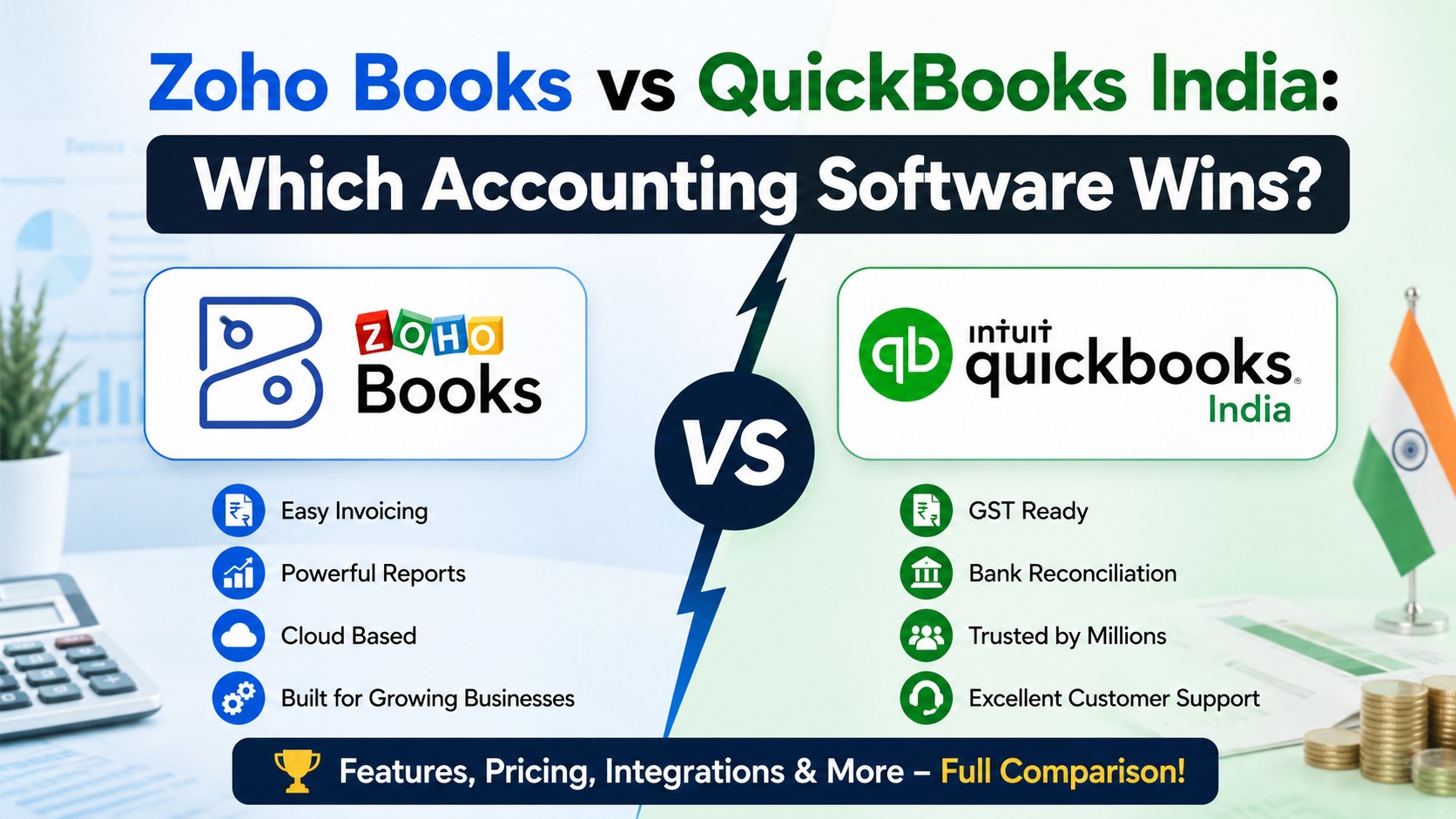
Zoho Books wins — and it is not a close contest. QuickBooks is no longer sold or supported in India. Intuit stopped new sign-ups in July 2022, ended paid access on 30 April 2023, and shut off the product completely on 1 July 2023. Zoho Books is an Indian-built, GST-ready, cloud accounting platform with a free plan for small businesses and paid plans starting at Rs 749 per organisation per month.
So the real question in 2026 is not “which is better”. It is: what should a business still running QuickBooks (or thinking about it) move to — and how do you move without breaking your books?
If you searched for this comparison, you probably fall into one of three groups:
- You used QuickBooks India before it shut down and you are still looking for a proper replacement.
- You are a new business owner who saw QuickBooks recommended in an old blog post and want to know if it still works here.
- You run an Indian arm of a global company that uses QuickBooks abroad, and you need to know whether it can handle GST.
This guide answers all three. In simple English, with tables, and with no sales spin.
1. What Happened to QuickBooks in India?
QuickBooks entered India in 2012 and built a base of roughly 30,000+ users. Then in mid-2022, Intuit announced it was pulling out of the Indian market. The company never gave a detailed public reason beyond saying it could no longer deliver and support the product for Indian small businesses and accountants.
Here is the exact timeline:
| Date | What Changed |
| 1 July 2022 | New sign-ups for QuickBooks India stopped completely. |
| 31 July 2022 | Existing paid subscriptions were converted to free, so users could exit without paying. |
| 31 January 2023 | Original shutdown date announced. |
| 30 April 2023 | Revised final date — aligned with the end of FY 2022-23 after customer requests. |
| 1 July 2023 | All access ended. QuickBooks Online, QuickBooks Online Accountant, the mobile app and QuickBooks Time went dark in India. |
Intuit still runs a large engineering team in India — over 1,300 people — but they build for global markets, not for the Indian product. There is no sign of a comeback.
What this means in plain terms
You cannot buy QuickBooks in India today. You cannot renew it. If you still have old QuickBooks data files sitting on a desktop, they are frozen history, not a live accounting system. Any blog that compares the two as live options in India is out of date.
2. Can You Still Use QuickBooks in India Somehow?
Technically, yes — with heavy compromises. Some Indian businesses sign up for the QuickBooks US, UK or Global edition using an overseas billing address. Before you consider that, understand what breaks:
| What You Need in India | QuickBooks Global Edition | Zoho Books India Edition |
| GST invoice formats (CGST / SGST / IGST) | Not built in — needs manual workarounds | Native and automatic |
| GSTR-1 and GSTR-3B filing | Not supported | Filed directly from the software |
| E-invoicing with IRN and QR code | Not supported | Direct IRP portal connection |
| E-way bill generation | Not supported | Built in |
| GSTR-2B reconciliation | Not supported | Built in |
| TDS and TCS handling | Not supported | Built in |
| HSN / SAC codes | Manual entry only | Built in with lookup |
| Indian bank feeds (ICICI, HDFC, Kotak, Axis, SCB, HSBC) | Very limited | Connected banking supported |
| Rupee-first pricing | Billed in USD / GBP | Billed in INR |
| Local support in Indian hours | No | Yes — including Hindi and regional language demos |
| Audit trail as required by Indian law | No | Yes |
A GST-registered Indian business running QuickBooks Global would need a separate GST tool, a separate e-invoicing tool and a lot of manual reconciliation. That is more cost and more risk, not less.
Verdict on this section: QuickBooks Global is only workable for an Indian entity that does zero domestic GST billing — for example, a pure export services company that invoices only foreign clients. Even then, most such companies switch to Zoho Books for the cleaner multi-currency handling and the Indian compliance safety net.
3. Zoho Books at a Glance
Zoho Books is the accounting product from Zoho Corporation, an Indian software company headquartered in Chennai. That single fact explains most of its advantage here: the product was built for Indian tax law from day one, not translated into it later.
Core strengths
- Registered GST Suvidha Provider (GSP) — GST returns can be pushed straight to the GSTN portal.
- Free plan for businesses under Rs 25 lakh annual revenue, with no time limit.
- Priced per organisation, not per user — so adding a viewer does not double your bill.
- Cloud-based, with mobile apps for iOS and Android plus a Windows desktop app.
- Connects natively to Zoho CRM, Zoho Inventory, Zoho Payroll, Zoho Expense and Zoho Analytics.
- 50+ standard reports including P&L, Balance Sheet, Cash Flow and GST summaries.
- Audit trail, two-factor authentication and role-based access as standard.
Honest limitations
No software is perfect. Things worth knowing before you commit:
- Payroll is a separate subscription (Zoho Payroll) unless you are on the Premium plan or above.
- Advanced inventory — batch tracking, serial numbers, warehouses — starts at the Elite plan.
- SMS and WhatsApp payment reminders need an add-on or a Zoho Flow integration.
- Migrating years of Tally or QuickBooks history is a real project, not a one-click import.
- Custom dashboards and cross-module analysis need Zoho Analytics on top.
4. Zoho Books vs QuickBooks: Head-to-Head Comparison
For readers who want the classic side-by-side, here it is — with the India reality baked in.
| Comparison Point | Zoho Books | QuickBooks (India) |
| Available in India in 2026 | Yes | No — discontinued |
| Built for Indian tax law | Yes, India edition | Was partially; now irrelevant |
| Free plan | Yes, under Rs 25 lakh revenue | None |
| Entry paid price | Rs 749 / org / month (annual) | Not sold in India |
| Pricing model | Per organisation | Was per user |
| GST filing | Direct to GSTN | Was supported, now unavailable |
| E-invoicing (IRP) | Yes | No |
| Multi-currency | Professional plan and above | Yes, in global edition |
| Inventory | From Free plan; advanced from Elite | Add-on based |
| Ecosystem | 55+ Zoho apps | Limited India integrations |
| Local partner network | Large, across Indian cities | None remaining in India |
| Long-term risk | Low — India is a core market | High — vendor already exited once |
That last row matters more than people realise. When Intuit left, thousands of businesses had to migrate mid-year, rebuild their chart of accounts and re-train staff. Choosing a vendor that treats India as a core market — not a side experiment — is a risk decision, not just a feature decision.
5. Zoho Books Pricing in India (2026)
All prices below are per organisation, per month, excluding 18% GST. Annual billing is cheaper than monthly.
| Plan | Monthly | Annual (per month) | Users | Best For |
| Free | Rs 0 | Rs 0 | 1 + accountant | Freelancers, revenue under Rs 25 lakh |
| Standard | Rs 899 | Rs 749 | 3 | Small businesses needing e-invoicing |
| Professional | Rs 1,799 | Rs 1,499 | 5 | Project billing, multi-currency |
| Premium | Rs 3,599 | Rs 2,999 | 10 | Payroll, budgets, cash flow forecasting |
| Elite | Rs 5,999 | Rs 4,999 | 15 | Warehouses, batch and serial tracking |
| Ultimate | Rs 9,599 | Rs 7,999 | 25 | Advanced analytics and BI |
Invoice limits by plan
| Plan | Invoices per Year | Bills / Expenses per Year |
| Free | 1,000 | 1,000 |
| Standard | 5,000 | 5,000 |
| Professional | 10,000 | 10,000 |
| Premium | 25,000 | 25,000 |
| Elite / Ultimate | 1,00,000 | 1,00,000 |
Add-on costs to budget for
| Add-On | Annual Billing | Monthly Billing |
| Extra user | Rs 150 / user / month | Rs 180 / user / month |
| Extra employee (payroll) | Rs 60 / employee / month | Rs 75 / employee / month |
| Extra location / GSTIN | Rs 600 / location / month | Rs 720 / location / month |
| Document autoscans | Rs 419 / 50 scans / month | Rs 499 / 50 scans / month |
| SMS credits | Rs 75 per credit (min 5) | Rs 75 per credit (min 5) |
| Expense claim | Rs 149 / user / month | Rs 199 / user / month |
The number most people forget
Add 18% GST on every paid plan. A Rs 899 Standard plan is really about Rs 1,061 per month. Also budget a one-time implementation cost if you want your chart of accounts, GST settings, opening balances and user roles configured correctly — this is where most DIY setups go wrong and become expensive to fix later.
6. Moving From QuickBooks to Zoho Books: Step by Step
If you still have QuickBooks data — from the India edition or a global edition — here is the practical sequence. This is the same order our team follows on client migrations.
| Step | What To Do | Why It Matters |
| 1. Export everything | Pull out chart of accounts, customers, vendors, items, invoices, bills, and trial balance as CSV or Excel. | Once access ends, the data is gone. |
| 2. Pick a cutover date | Usually 1 April — the start of a financial year. | Clean books, no half-year splits. |
| 3. Clean the master data | Remove duplicate customers, dead ledgers and unused items. | You do not want to carry ten years of mess into a new system. |
| 4. Rebuild the chart of accounts | Map old account heads to Zoho Books groups. | This is the foundation. Get it wrong and every report is wrong. |
| 5. Configure GST | Enter GSTIN, registration date, and turn on e-invoicing and e-way bill settings. | A single wrong digit in the GSTIN means every e-invoice gets rejected. |
| 6. Import in the right order | Accounts, then contacts, then items, then opening balances, then transactions. | Zoho Books rejects imports that reference records that do not exist yet. |
| 7. Connect banks | Set up connected banking or bank feeds. | Automated reconciliation is half the time saving. |
| 8. Run in parallel | Keep the old records readable for one to two months while the team learns. | Catches mismatches before they become audit problems. |
| 9. Train the team | Accounts staff, sales staff and your CA all need access and a walkthrough. | Adoption fails on training, not on software. |
| 10. Reconcile and sign off | Match closing trial balance to the source system, rupee for rupee. | No unexplained difference should survive go-live. |
Typical timeline: two to four weeks for a small business, six to ten weeks for a company with inventory, multiple GSTINs or years of history to preserve. Working with a certified Zoho partner usually cuts that timeline and removes the rework risk.
7. What Are the Other Options in India?
QuickBooks is gone, but Zoho Books is not the only choice. A fair comparison should include what else Indian businesses actually use.
| Software | Type | Strength | Weakness |
| Zoho Books | Cloud | GST-native, per-org pricing, large app ecosystem | Advanced inventory and payroll cost extra |
| TallyPrime | Desktop (cloud add-on) | Deeply familiar to Indian accountants and CAs | Not cloud-first; remote access needs extra setup |
| Busy Accounting | Desktop | Strong for trading and distribution businesses | Dated interface, limited integrations |
| Vyapar | Mobile-first | Very cheap, easy for tiny retailers | Outgrown quickly as the business scales |
| Marg ERP | Desktop | Strong in pharma and FMCG distribution | Steep learning curve |
| Zoho ERP / larger ERPs | Cloud | Full operations, not just accounting | Higher cost and longer implementation |
The honest summary: if your accountant lives inside Tally and your business is single-location with no remote team, Tally still works. If you want cloud access, automation, a customer portal, and one system that talks to your CRM and inventory, Zoho Books is the stronger long-term bet.
8. Which One Should You Choose? A Simple Decision Table
| Your Situation | Recommended Choice |
| Freelancer or consultant, revenue under Rs 25 lakh | Zoho Books Free plan |
| Small business with GST, 2-3 people in accounts | Zoho Books Standard |
| Agency or service firm billing by project | Zoho Books Professional |
| Company with payroll and budgeting needs | Zoho Books Premium |
| Product business with warehouses and batch tracking | Zoho Books Elite |
| Group with multiple entities and heavy reporting | Zoho Books Ultimate or Zoho ERP |
| Export-only company with no Indian GST billing | Zoho Books, or QuickBooks Global if the parent company mandates it |
| Still running old QuickBooks files | Export now and migrate — the data will not be recoverable later |
9. The Verdict
Zoho Books wins, on availability, on compliance, and on cost. QuickBooks was a strong product globally, but it is no longer an option in India — and any business still hoping for a return should plan around a permanent exit rather than a comeback.
The more useful decision is not Zoho Books vs QuickBooks. It is this: do you set up Zoho Books yourself, or do you get it configured properly the first time?
Signing up takes ten minutes. Getting your chart of accounts, GST settings, e-invoicing connection, opening balances, user roles and approval workflows right is what decides whether the software actually saves you time. Most of the frustration blamed on accounting software is really a bad setup.
10. Frequently Asked Questions
Is QuickBooks available in India in 2026?
No. Intuit discontinued QuickBooks in India. New sign-ups stopped in July 2022, paid access ended on 30 April 2023, and all access was switched off on 1 July 2023. There is no India edition available today.
Why did QuickBooks leave India?
Intuit’s official statement said it could no longer deliver and support QuickBooks products for small businesses and accounting professionals across India. It did not give a detailed commercial reason. Industry observers point to strong local competition from Tally and Zoho, and price sensitivity in the Indian SME market.
Can I use QuickBooks Global from India?
You can sign up for a global edition, but it does not support GST invoicing, GSTR filing, e-invoicing, e-way bills, TDS or Indian bank feeds. For any GST-registered Indian business it creates more manual work, not less.
Is Zoho Books really free?
Yes, for businesses with annual revenue under Rs 25 lakh. The free plan has no time limit but caps you at 1 user plus 1 accountant login and 1,000 invoices per year.
Does Zoho Books support GST filing and e-invoicing?
Yes. Zoho is a registered GST Suvidha Provider. You can push GSTR-1 and GSTR-3B data to the GSTN portal from inside Zoho Books, generate IRNs and QR codes through the IRP connection, and create e-way bills.
How much does Zoho Books cost in India?
Plans run from free to Rs 7,999 per organisation per month on annual billing. The most common paid plan for small businesses is Standard at Rs 749 per month billed annually, plus 18% GST.
Is Zoho Books better than Tally?
For cloud access, remote teams, automation and integration with CRM or inventory, yes. For an accountant who has used Tally for fifteen years in a single-location business, Tally may still feel faster. Many Indian businesses now run Zoho Books as the primary system and export to Tally format when their CA asks for it.
How long does migration to Zoho Books take?
Two to four weeks for a straightforward small business. Six to ten weeks if you have inventory, multiple GSTINs or several years of history you want preserved.
Do I need a Zoho partner to implement Zoho Books?
Not for a basic single-user setup. For anything involving GST configuration, data migration, multiple users, approval workflows or integration with other systems, a certified partner saves weeks of trial and error and prevents structural mistakes that get expensive to fix.
What is the difference between a Zoho Authorised Partner and a Zoho Advanced Partner?
Both are officially certified by Zoho. Advanced Partners sit at a higher tier, which reflects a larger number of successful implementations, deeper technical certification and broader coverage across the Zoho ecosystem.
Get Zoho Books Set Up the Right Way
Tech Magify LLP has spent 24+ years building business systems and works with 500+ clients globally as a certified Zoho Advanced Partner. Our team of 50+ consultants across Mumbai, Ahmedabad, Pune and Perth handles Zoho Books implementation end to end — chart of accounts design, GST and e-invoicing configuration, data migration from QuickBooks or Tally, bank integration, team training and post-go-live support.
Useful next steps:
- Explore our full Zoho Suite implementation services across 55+ Zoho applications.
- Start with a Zoho consulting engagement if you are still deciding which apps you actually need.
- Pair your accounting with sales — see our Zoho CRM services in Mumbai.
- Comparing vendors? Read our guide to Zoho partners in India and how the certification tiers work.
- Learn more about Tech Magify and the team behind the implementations.
Talk to a Zoho Advanced Partner in Mumbai
If your business is in Mumbai or anywhere in Maharashtra, work with a Zoho Advanced Partner in Mumbai who can sit with your finance team, understand your billing flow, and configure Zoho Books around how you actually work — not around a generic template.
Book a free consultation with a certified Zoho partner in Mumbai and get a clear scope, timeline and cost before you commit to anything.