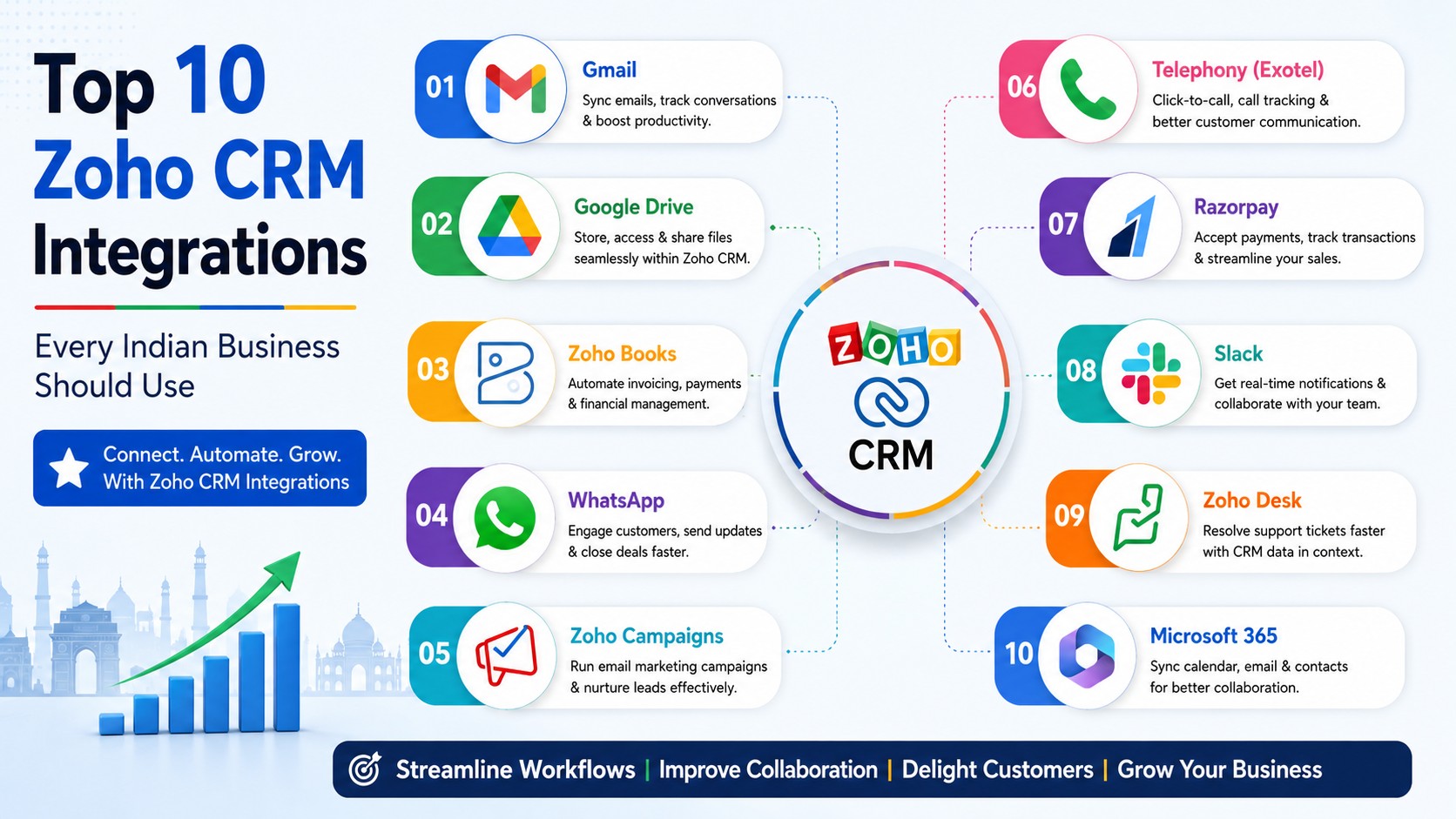
The ten Zoho CRM integrations that matter most for Indian businesses are: WhatsApp Business, IndiaMART and other lead marketplaces, Zoho Books, cloud telephony (Exotel, Knowlarity, MyOperator, Ozonetel), Razorpay or PayU, Google Workspace, Facebook and Google Ads lead sync, Tally or your existing ERP, Zoho Desk, and Zoho Analytics.
Start with WhatsApp, telephony and your lead sources. Those three fix the biggest daily leaks in an Indian sales team. Accounting and reporting can follow in phase two.
Most Indian businesses do not have a CRM problem. They have a data-scattered problem.
Enquiries land on WhatsApp. Leads come from IndiaMART and Justdial. Calls happen on a mobile number nobody tracks. Quotes go out from Excel. Invoices sit in Tally. Payments come through Razorpay. And somewhere in the middle, a salesperson is trying to remember what he promised a customer three weeks ago.
Zoho CRM by itself does not solve that. Zoho CRM connected to the tools you already use does.
This guide covers the ten integrations that give Indian businesses the fastest, most visible return. For each one you will see what it actually does, who needs it, how hard it is to set up, and what usually goes wrong.
Why Integrations Matter More Than Extra CRM Features
A CRM that only holds names and phone numbers is a digital diary. A connected CRM is an operating system for your sales team. Here is the practical difference:
| Daily Situation | Without Integrations | With Integrations |
| A customer sends a WhatsApp message | Sits on one salesperson’s phone. Lost if he leaves. | Logged against the lead record. Whole team can see it. |
| An IndiaMART enquiry arrives | Someone checks the portal, copies it into Excel, maybe. | Auto-created as a lead with source tagged, owner assigned. |
| A missed call from a prospect | Nobody knows it happened. | Logged, assigned and shown as a follow-up task. |
| Deal is won | Accounts is told on WhatsApp, invoice made in Tally. | Invoice raised in Zoho Books with GST, linked to the deal. |
| Customer pays | Sales asks accounts, accounts checks the bank. | Payment status updates on the record automatically. |
| Monthly review | Three exports, one messy Excel, two days of work. | One dashboard, live. |
None of this is theory. It is the difference between a CRM your team uses and a CRM your team quietly abandons in month four.
The Top 10 Zoho CRM Integrations at a Glance
| # | Integration | Solves | Setup Effort | Priority |
| 1 | WhatsApp Business | Untracked customer conversations | Medium | Very High |
| 2 | IndiaMART / Justdial / TradeIndia | Manual lead entry from portals | Low | Very High (B2B) |
| 3 | Cloud Telephony | Missed and untracked calls | Medium | Very High |
| 4 | Zoho Books | Quote-to-invoice gap, GST | Medium | High |
| 5 | Razorpay / PayU | Slow payment collection | Low | High |
| 6 | Google Workspace | Email and calendar living outside CRM | Low | High |
| 7 | Facebook & Google Ads | Ad leads arriving late or not at all | Low | High (B2C) |
| 8 | Tally / ERP | Sales and accounts working on different numbers | High | Medium |
| 9 | Zoho Desk | Support issues invisible to sales | Low | Medium |
| 10 | Zoho Analytics | Reporting done manually in Excel | Medium | Medium |
Now the detail on each.
1. WhatsApp Business Integration
In India, WhatsApp is not a marketing channel. It is the sales channel. Customers ask for prices on it, share requirements on it, negotiate on it, and confirm orders on it. Yet in most companies that entire conversation lives on a personal phone.
Connecting WhatsApp Business to Zoho CRM pulls those chats into the lead or contact record.
What you get
- Every message logged against the right customer record, visible to managers.
- Send WhatsApp messages from inside the CRM without switching apps.
- Approved message templates for order confirmations, payment reminders and appointment alerts.
- Automatic replies and lead capture when a new number messages you.
- Chat history stays with the company when a salesperson resigns.
Watch out for
- You need a WhatsApp Business API account, not the free WhatsApp Business app. That means a verified business, a dedicated number and per-conversation charges from Meta.
- Marketing templates need Meta approval and can be rejected if the wording is too promotional.
- The number you use for the API cannot be used in the normal WhatsApp app afterwards. Pick a fresh number.
| Detail | Answer |
| Best for | Almost every Indian business — retail, real estate, education, healthcare, manufacturing |
| Typical setup time | 1 to 2 weeks including Meta verification |
| Biggest win | Sales conversations stop disappearing with staff turnover |
2. IndiaMART, Justdial and TradeIndia Lead Sync
If you are a B2B manufacturer, trader or distributor, a large share of your enquiries probably comes from listing portals. The usual routine is that someone logs into the portal a few times a day, copies enquiries into a sheet, and forwards them on WhatsApp. Leads go cold in that gap.
A direct connection pushes portal enquiries into Zoho CRM as they arrive.
What you get
- Leads created automatically with the source tagged as IndiaMART, Justdial or TradeIndia.
- Round-robin or rule-based assignment so every enquiry has an owner within minutes.
- Instant auto-response by SMS, email or WhatsApp — often the reason you win the deal.
- Clear reporting on which portal actually converts, so you can renew the right subscription.
Watch out for
- Portal enquiries are noisy. Set up duplicate checks and a junk-lead filter or your CRM fills with garbage.
- Some connectors are marketplace extensions, some need API keys from the portal. Check what your plan supports.
| Detail | Answer |
| Best for | Manufacturers, exporters, traders, industrial suppliers, service businesses |
| Typical setup time | 2 to 5 days |
| Biggest win | Response time drops from hours to minutes |
3. Cloud Telephony (Exotel, Knowlarity, MyOperator, Ozonetel)
Ask any Indian sales manager how many calls his team made last week. Most cannot answer with confidence. Zoho CRM’s PhoneBridge platform connects cloud telephony providers so calls become data instead of guesswork.
What you get
- Click-to-call from any lead or contact record.
- Incoming calls pop up the customer’s record before you pick up.
- Every call logged with duration, outcome and notes.
- Call recordings attached to the record for training and dispute resolution.
- Missed calls converted into follow-up tasks so nothing slips.
- IVR routing so the right team gets the right caller.
Watch out for
- Field teams calling from personal mobiles will bypass the system. You need a mobile SDK or a company SIM policy.
- Call recording requires customer consent messaging. Keep the IVR disclosure in place.
| Detail | Answer |
| Best for | Any business with an inside sales, telecalling or support team |
| Typical setup time | 1 week |
| Biggest win | You finally know your real call-to-conversion ratio |
4. Zoho Books Integration
This is the one that removes double data entry between sales and accounts. When a deal is marked won in Zoho CRM, the quote can flow straight into Zoho Books as a GST-compliant invoice — no retyping, no mismatched customer names, no wrong GSTIN.
What you get
- Customers, items and price lists stay in sync both ways.
- Quotes and sales orders convert into invoices with correct CGST, SGST or IGST.
- Payment status visible on the deal record, so sales stops asking accounts for updates.
- E-invoicing and e-way bill handled on the Books side, with the sales context still attached.
- Outstanding balance visible before a salesperson offers a new discount.
Watch out for
- Field mapping has to be planned. If your CRM product names do not match your Books item list, sync fails silently.
- Decide early which system is the master for customer data. Two masters means two versions of the truth.
| Detail | Answer |
| Best for | GST-registered businesses that quote before they invoice |
| Typical setup time | 1 to 2 weeks |
| Biggest win | Invoicing errors and delays drop sharply |
5. Razorpay, PayU and Payment Gateway Integration
Collections are where Indian sales cycles quietly die. The deal is closed, the invoice is sent, and then two weeks pass. A payment gateway link inside the CRM shortens that gap.
What you get
- Send a payment link directly from the Deals, Quotes or Invoices module.
- Customer pays by UPI, card, net banking or wallet without calling anyone.
- Payment confirmation updates the record automatically.
- Resend or cancel payment requests without leaving the CRM.
- Automated reminders for pending payments through email or WhatsApp.
Watch out for
- Gateway charges apply per transaction. For large B2B invoices, NEFT may still be cheaper — use links for smaller and repeat billing.
| Detail | Answer |
| Best for | Service businesses, D2C brands, education, subscription models |
| Typical setup time | 2 to 3 days |
| Biggest win | Faster collections without chasing calls |
6. Google Workspace (Gmail, Calendar, Drive)
Simple, cheap, and the one most teams skip. If your salespeople still email from Gmail with no CRM connection, half your customer history is invisible.
What you get
- Two-way email sync so client mails appear on the lead record.
- Meetings booked in Google Calendar show as CRM activities.
- Proposals and drawings stored in Drive, linked to the deal.
- Contacts synced so mobile phonebooks stay current.
- Email open and click tracking for follow-up timing.
Watch out for
- Decide what gets shared. Not every internal email should be visible to the whole sales team.
| Detail | Answer |
| Best for | Every business already on Google Workspace |
| Typical setup time | 1 day |
| Biggest win | Complete customer history in one place, at almost no cost |
7. Facebook Lead Ads and Google Ads Integration
If you spend on digital ads and download leads as a CSV once a day, you are losing money. Research on lead response consistently shows that speed of first contact is the single biggest factor in conversion — and CSV downloads guarantee delay.
What you get
- Facebook and Instagram lead form submissions land in Zoho CRM instantly.
- Google Ads click and conversion data attached to the lead.
- Cost per lead and cost per closed deal by campaign, not just by click.
- Automatic WhatsApp or SMS acknowledgement within seconds of submission.
- Offline conversions pushed back to Google Ads so the algorithm optimises for real customers, not form fills.
Watch out for
- Ad leads are low intent by nature. Score them, or your pipeline numbers will look better than your bank account.
| Detail | Answer |
| Best for | Real estate, education, healthcare, D2C, coaching, insurance |
| Typical setup time | 2 to 4 days |
| Biggest win | You learn which campaign brings buyers, not just enquiries |
8. Tally or Existing ERP Integration
Plenty of Indian businesses are not ready to leave Tally, SAP or a custom ERP. That is fine. Zoho CRM can sit on top and exchange data with it instead of replacing it.
What you get
- Customer ledgers and outstanding balances visible inside the CRM.
- Credit limit checks before a salesperson books a new order.
- Sales orders pushed from CRM to the ERP without re-entry.
- Stock availability visible while quoting, so you stop promising what you do not have.
- Item masters and price lists kept in sync.
Watch out for
- This is the hardest integration on the list. Tally is a desktop product, so you need a connector, a middleware layer or a scheduled sync — not a simple API handshake.
- Agree on sync frequency early. Real-time is not always necessary and is much more expensive to build.
This category almost always needs proper Zoho integration services — custom API work, webhook handling, error logging and retry logic. It is not something to attempt with a downloaded plugin and hope.
| Detail | Answer |
| Best for | Manufacturers, distributors and traders running Tally or an ERP |
| Typical setup time | 4 to 8 weeks |
| Biggest win | Sales and accounts finally quote from the same numbers |
9. Zoho Desk Integration
Selling to an unhappy customer is an easy way to lose an account. When support tickets are invisible to sales, that happens constantly.
What you get
- Open support tickets visible on the customer record in CRM.
- Sales gets an alert before calling a client with an unresolved complaint.
- Support can see deal value and account history to prioritise properly.
- Renewal and upsell triggers based on ticket sentiment and volume.
| Detail | Answer |
| Best for | SaaS, AMC-based businesses, equipment suppliers, service contracts |
| Typical setup time | 2 to 3 days |
| Biggest win | Fewer awkward sales calls to frustrated customers |
10. Zoho Analytics Integration
Zoho CRM has good built-in reports. They stop being enough the moment you want to combine CRM data with accounting, marketing spend or inventory in a single view.
What you get
- Blend CRM, Books, Desk, Ads and Excel data in one dashboard.
- Sales funnel, region-wise and product-wise performance in one screen.
- Scheduled reports mailed to management automatically.
- Forecasting and trend analysis instead of month-end guesswork.
Watch out for
- Analytics is a separate subscription. Do not buy it until your CRM data is clean — a dashboard built on bad data is worse than no dashboard.
| Detail | Answer |
| Best for | Businesses with multiple branches, product lines or sales teams |
| Typical setup time | 2 to 3 weeks |
| Biggest win | Management reviews run on live data instead of Excel exports |
Worth Adding Later
These did not make the top ten but come up often once the basics are running:
| Integration | Use Case |
| Zoho Campaigns | Email marketing with CRM segments, without exporting lists |
| Shopify / WooCommerce | Online orders and customers flowing into CRM |
| Zoho Sign | Digitally signed quotations and contracts, legally valid in India |
| Zoho Creator | Custom apps for field service, dealer portals, site surveys |
| Zoho Flow | No-code connections to 900+ apps when no native option exists |
| Zoho Zia | AI lead scoring, deal predictions and anomaly alerts |
| Zoho Projects | Post-sale delivery tracking linked to the original deal |
| Zoho Inventory | Stock, warehouses and order fulfilment tied to sales |
If you are already on Zoho One, most of these are included in your licence and only need configuration. Our Zoho Suite implementation team works across 55+ Zoho applications, and Zia AI implementation is usually the quickest way to add intelligence on top of a CRM that already has clean data.
Which Integrations Should You Do First?
Doing all ten at once is the fastest way to overwhelm a team and end up using none of them. Sequence by business type:
| Business Type | Phase 1 | Phase 2 | Phase 3 |
| B2B manufacturer / trader | IndiaMART, WhatsApp, Telephony | Zoho Books, Tally sync | Analytics, Inventory |
| Real estate | Facebook Ads, WhatsApp, Telephony | Zoho Sign, Books | Analytics, Creator |
| Education / coaching | Ads, WhatsApp, Telephony | Razorpay, Books | Desk, Analytics |
| IT / software services | Google Workspace, Zoho Desk | Books, Projects | Analytics, Zia |
| Healthcare / clinics | WhatsApp, Telephony | Razorpay, Books | Desk, Analytics |
| D2C / ecommerce | Shopify or WooCommerce, Ads | Razorpay, Books | Desk, Analytics |
Native, Marketplace or Custom? Know the Difference
Not every integration is built the same way, and the difference decides your cost and your risk.
| Type | What It Is | Cost | Best When |
| Native | Built by Zoho, switch it on in settings (Books, Desk, Analytics, Google Workspace) | Included or low | Both systems are Zoho or a major platform |
| Marketplace extension | Built by a third party, installed from Zoho Marketplace (IndiaMART, Razorpay, telephony) | Free to moderate | A standard tool with a standard workflow |
| Custom API | Built for you using Zoho APIs, Deluge, webhooks and middleware (Tally, legacy ERP, in-house software) | Project-based | No ready connector exists, or your process is unique |
Most Indian businesses end up with a mix of all three. The trap is assuming a marketplace extension will handle a custom workflow — it usually breaks at the first exception, and by then live data is already inconsistent. When the process is genuinely yours, budget for custom Zoho integration services with proper error handling and monitoring built in.
Five Mistakes to Avoid
1. Integrating before cleaning your data
If your CRM has three versions of the same customer, syncing it to Books creates three versions there too. Clean first, connect second.
2. Not deciding the master system
For every shared field — customer name, GSTIN, price — one system must win. Write it down before the build starts.
3. Connecting everything on day one
Teams can absorb about two new workflows at a time. Roll out in phases and let each one settle.
4. Skipping the error plan
Integrations fail. APIs time out, tokens expire, portals change formats. If nobody is alerted, you find out weeks later when the numbers do not match.
5. Treating it as an IT project
Integration decisions are process decisions. If the sales head and the accounts head are not in the room, you will automate a broken process very efficiently.
What Does It Cost and How Long Does It Take?
Rough guidance for a mid-sized Indian business. Actual numbers depend on data volume, number of users and how custom your process is.
| Scope | Typical Timeline | What It Covers |
| Basic CRM setup | 2 to 3 weeks | Modules, fields, pipelines, users, roles, basic automation |
| CRM plus 2-3 standard integrations | 4 to 6 weeks | WhatsApp, telephony, lead portals or Books, with testing |
| CRM plus custom ERP or Tally sync | 6 to 10 weeks | API build, middleware, mapping, parallel run, monitoring |
| Full Zoho One rollout | 3 to 6 months | CRM, Books, Desk, People, Projects and cross-app workflows |
Most serious engagements are fixed-fee after a discovery call, not open-ended billing. If you are still comparing vendors, our guide to Zoho partners in India explains how the certification tiers work and what to check before signing. It is also worth understanding what a Zoho Authorized Partner actually is, because resellers and partners are not the same thing.
Frequently Asked Questions
How many integrations does Zoho CRM support?
Zoho CRM connects to over 1,000 applications through native integrations, the Zoho Marketplace and Zoho Flow. It also has a full REST API, so anything with an API can be connected with custom development.
Can Zoho CRM be integrated with WhatsApp?
Yes. Zoho CRM supports WhatsApp Business API integration, which logs conversations against lead and contact records, allows sending approved templates, and can capture new leads from incoming messages. You need a WhatsApp Business API account, not the free WhatsApp Business app.
Does Zoho CRM integrate with IndiaMART?
Yes. IndiaMART enquiries can flow into Zoho CRM automatically as leads with the source tagged, using a marketplace extension or an API-based connector. The same approach works for Justdial and TradeIndia.
Can Zoho CRM be integrated with Tally?
Yes, but not natively. Tally is a desktop application, so integration requires a connector, middleware or a scheduled sync built through custom development. It is one of the more complex integrations and usually takes four to eight weeks.
Is Zoho CRM integration with Zoho Books free?
The integration itself is included, but both products need active subscriptions. Configuration — field mapping, tax setup, sync rules — is where the real work sits.
Which Zoho CRM edition do I need for integrations?
Many marketplace extensions require Enterprise edition or above. Native Zoho-to-Zoho integrations work on lower editions. Check the specific extension listing before you buy your CRM licences, because upgrading later is more expensive than starting right.
What are Zoho integration services?
Zoho integration services cover connecting Zoho applications to each other and to outside systems — telephony, payment gateways, ERPs, websites, marketplaces and custom software. The work typically includes requirement mapping, API or connector development, data mapping, testing, error handling and post-launch support.
How long does a Zoho CRM integration take?
A standard extension like a payment gateway or lead portal takes two to five days. WhatsApp or telephony takes about a week. A custom ERP or Tally integration takes four to eight weeks including testing and a parallel run.
Do integrations slow down Zoho CRM?
Properly built ones do not. Problems appear when several poorly written custom functions run on the same record update, or when a sync pulls large volumes during working hours. Scheduling and clean code solve it.
Can I set up Zoho CRM integrations myself?
Simple ones, yes — Google Workspace or a payment gateway can be done in an afternoon. Anything involving GST data, financial records, multiple teams or a legacy system is worth doing with a certified partner, because fixing a bad integration after live data has moved through it costs far more than building it correctly.
The Bottom Line
Zoho CRM on its own is a good product. Zoho CRM connected to WhatsApp, your lead portals, your phone system and your accounting is a different thing entirely — it becomes the one place where your business actually knows what is happening.
Start with three integrations, not ten. Fix the biggest daily leak first. Get your team using it for a month. Then add the next layer.
Plan Your Zoho CRM Integrations With a Certified Partner
Tech Magify LLP brings 24+ years of enterprise software experience and serves 500+ clients globally as a certified Zoho Advanced Partner. Our 50+ consultants across Mumbai, Ahmedabad, Pune and Perth handle Zoho CRM implementation, integration architecture, custom API development, data migration, team training and ongoing support.
Where to go next:
- Browse our Zoho Suite services across the full ecosystem.
- Need something custom built? See our Zoho development and API integration services.
- Not sure what you need yet? Start with a Zoho consulting engagement and a process review.
- Looking specifically for CRM help? See our Zoho CRM services in Mumbai.
- Managing delivery after the sale? Look at Zoho Projects implementation.
- Learn more about Tech Magify and the team behind the work.
Talk to a Zoho Advanced Partner in Mumbai
If your business is in Mumbai, Thane or Navi Mumbai, work with a Zoho Advanced Partner in Mumbai who will map your existing tools first and then recommend an integration sequence — instead of switching on everything and leaving your team to figure it out.
Book a free discovery call with a certified Zoho partner in Mumbai and get a clear scope, timeline and fixed cost before you commit.